
Skip to content
  • There are no suggestions because the search field is empty.

AE 24.4 - The Data Source drop down field does not display any databases when attempting to add an existing Oracle database.

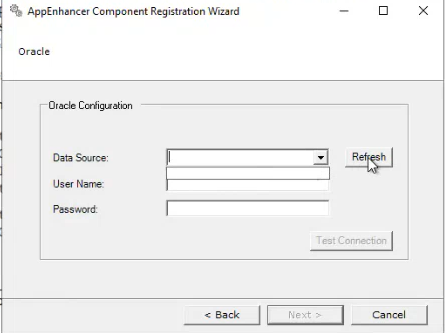
When attempting to add an existing Oracle database to component registration wizard, the Data Source drop down field is empty and never populates any Oracle database.


Applies to Versions:
20.4 - 24.4

Summary:

Make sure that both the Oracle ODAC and Oracle Client are both installed on the server.  After that, add the following environment variables to the server:

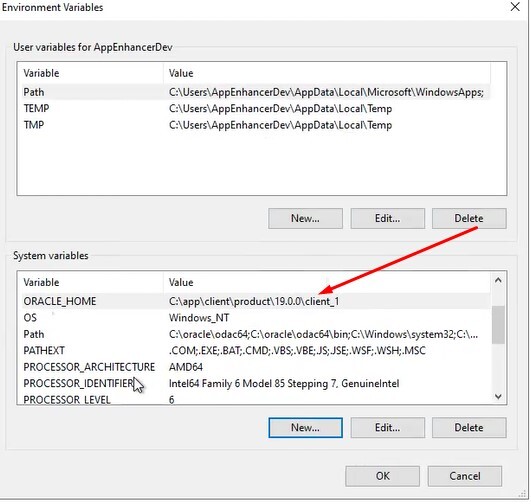
  • ORACLE_HOME - This should be pointing to the Oracle client directory.  For example:
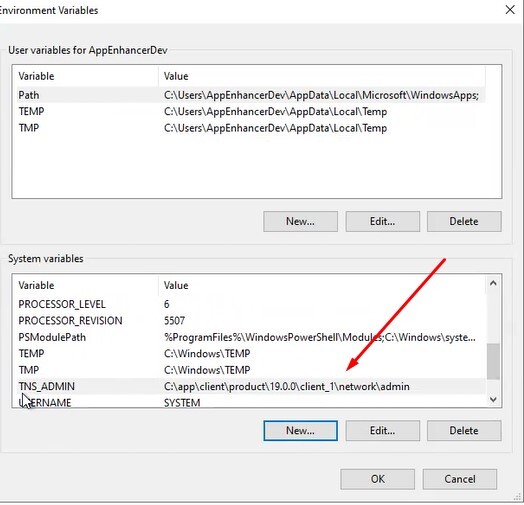
  • TNS_ADMIN - This should be pointing to the directory where the tnsnames.ora file is located.  For example:
Once these have been added, reopen the component registration wizard, navigate back to the Oracle configuration screen, and click the refresh button.  The Oracle data source should now populate the field.