
Version:
16.3-25.4
Resolution:
Open IIS on the AppEnhancer host server. Increase the following number of minutes in the setting below:
Select the AppEnhancer site under Default Web Site.
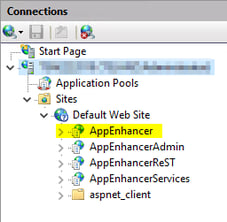
On the panel to the right, double-click on Session State to open it's options. 
Scroll to the bottom of the screen and enter your desired timeout in the box under Cookie Settings.
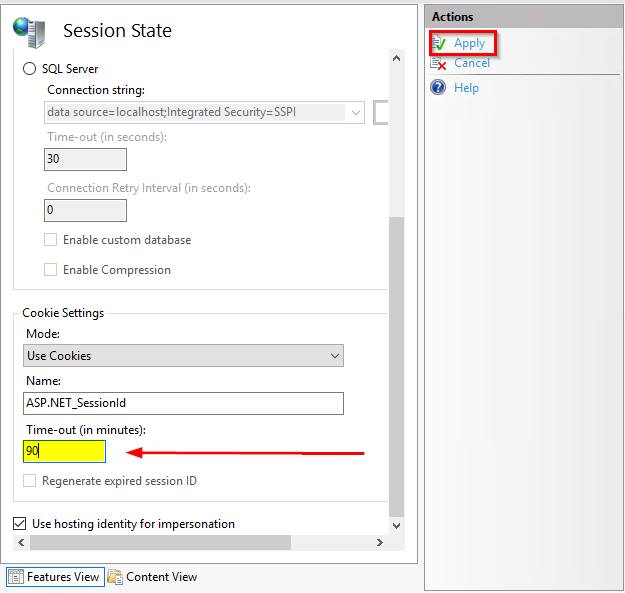
Select the checkbox to Apply on the top right.
Do an iisreset