
Screenshot from the AE_LOGIN table in the AE Data Dictionary 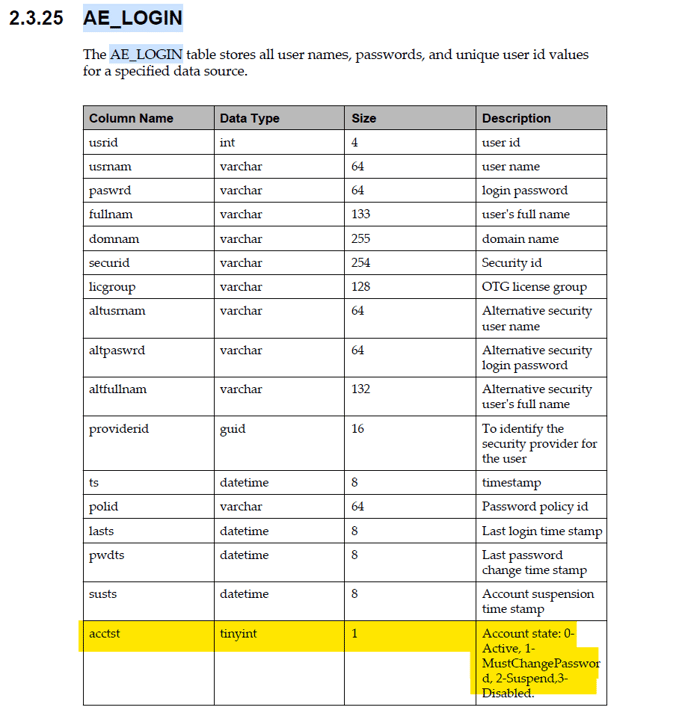
Applies to Versions:
All versions
Resolution:
In the AE Data Dictionary, search for the AE_LOGIN table and locate the "acctst" column. The description field for this column provides the relevant information. The data dictionary for AE 24.4 is located here.
**Disclaimer:** Before making any changes to the database, always ensure a comprehensive backup is completed. Modifying database tables should be performed only by authorized personnel and is undertaken at your own risk. MetaSource is not responsible for any loss of data or system integrity resulting from changes made without proper safeguards in place. Follow established best practices and consult with your database administrator as needed.