
Applies to Versions: 7.0 - 8.2
Open a blank Excel workbook
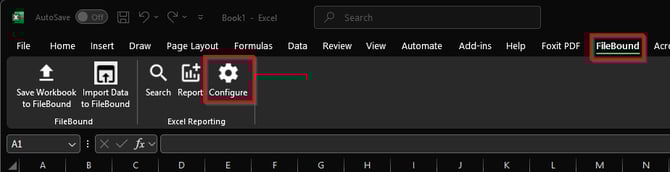
Select the FileBound section from the top toolbar and select Configure
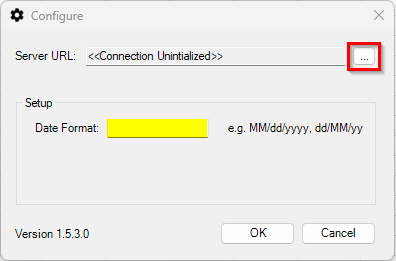
Click the ellipsis to the right of Server URL. Date Format is optional
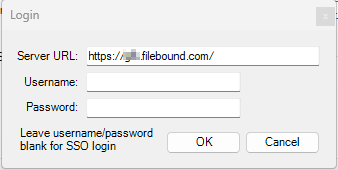
Enter you site URL and credentials
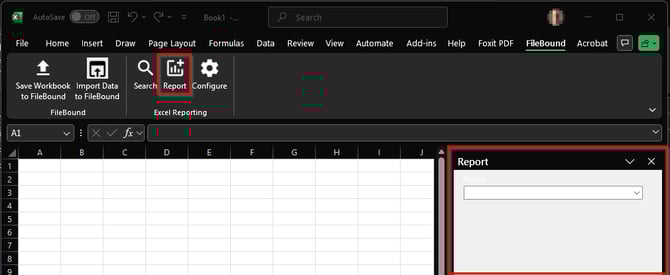
Select the Report icon to bring up the Report Pane.
Fill out the criteria for your report and select Run Report from the bottom.
If you don't have FileBound Connect installed or don't see the options in Excel, please submit a ticket to MetaSource support.