
Versions:
All supported versions
Cause:
An automatic update was installed for the Microsoft OpenJDK
Error: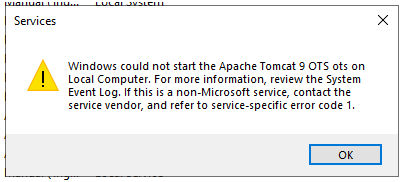
Event Log Error:
The Apache Tomcat 9 OTS ots service terminated with the following service-specific error: Incorrect function.
Catalina Log Error:
WARNING ... ClassLoaderFactory.validateFile Problem with directory [C:\OTS_24.4\TomcatBase\ots\classpathFiles], exists: [false]
Resolution:
1. You must remove the existing Tomcat instance per the instruction included at the end of the install-service-ots.bat file.
2. In Designer, rerun the package and deploy the wizard.
3. Rerun the install-service-ots.bat file as administrator.
4. Set the correct credentials and startup properties.
5. If the above does not work, give the service account full control permission to both the OTS Base Directory and the OTS Project Directory starting at the root. Then ensure the Tomcat OTS Service is set to use the same service account and repeat the steps above.
If the issue continues, please open a support ticket at getsupport@metasource.com