---
title: Document Library
description: Discuss this process.
---
[Skip to content](https://knowledgebase.metasource.com/workdocs/doclibrary#main-content)
[](https://www.metasource.com/)
Open main navigation
Close main navigation
- [Return to WorkDocs™](https://sourcehr.filebound.com/LogOn.aspx)
[Return to WorkDocs™](https://sourcehr.filebound.com/LogOn.aspx)
Hello. How can we help you?
- There are no suggestions because the search field is empty.
1. [WorkDocs Customer Knowledge Center](https://knowledgebase.metasource.com/workdocs?hsLang=en-us)
2. [Using Features](https://knowledgebase.metasource.com/workdocs/using-features?hsLang=en-us)
January 5, 2026
# Document Library
The WorkDocs Document Library option links you to a Customer Knowledge Center with information about the WorkDocs application and how to use it.
#### **Using the Document Library**
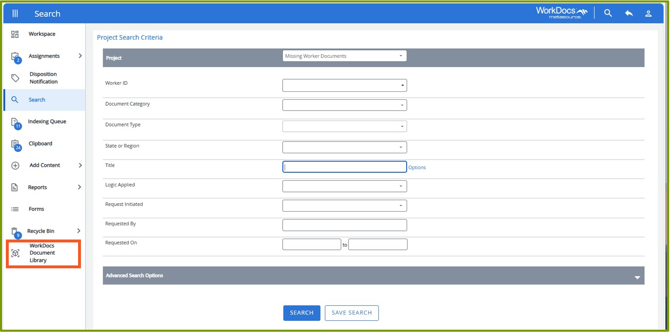
Click **WorkDocs Document Library** from the menu.
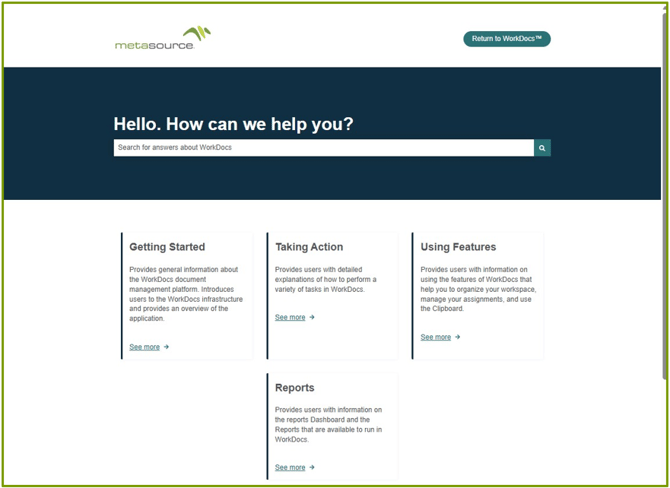
The **Customer Knowledge Center** opens to a card-view list of categories available. It opens in a new tab so you can easily return to the WorkDocs application by clicking the original tab.
A search box is available to search the knowledge center using text. Or you can click a category to open it.
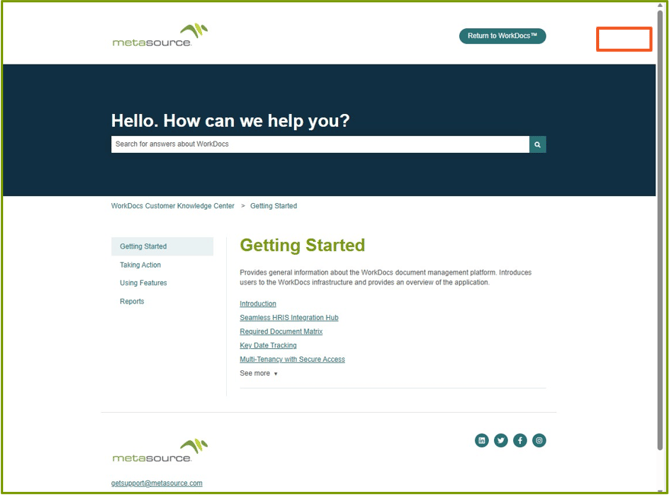
The category opens, in this case **Getting Started**. On the left are the same categories that were displayed on the landing page in card-view. On the main part of the page, the category selected displays with links to the articles for that category.
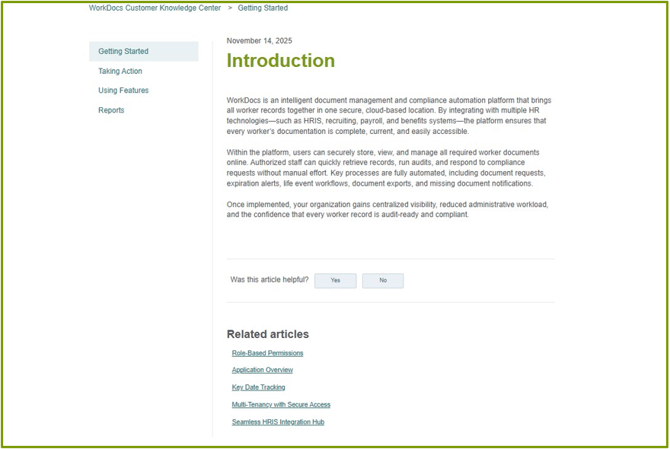
When you click on an article, it opens. You can review the information provided and select another article under **Related articles**. Or you can select a different category from the list on the left.
When you want to return to the WorkDocs application, click the tab or close the Customer Knowledge Center tab.
- [Getting Started](https://knowledgebase.metasource.com/workdocs/getting-started?hsLang=en-us)
- [Taking Action](https://knowledgebase.metasource.com/workdocs/taking-action?hsLang=en-us)
- [Using Features](https://knowledgebase.metasource.com/workdocs/using-features?hsLang=en-us)
- [Reports](https://knowledgebase.metasource.com/workdocs/reports?hsLang=en-us)
[](https://www.metasource.com/)
[getsupport@metasource.com](mailto:getsupport@metasource.com)
[(888) 634-7684](tel:18886347684)
© 2025 MetaSource, LLC. All rights reserved.