
The Worker Acknowledgements feature allows you to send a notification to a single worker. The notification includes a link to a form with a detailed message that the recipient must review and sign. It does not allow you to include an attachment. A Worker Acknowledgement is similar to a Company Notice but does not include an attachment and can only be sent to one worker.
The signed form is stored in WorkDocs.
Submitting a Worker Acknowledgement
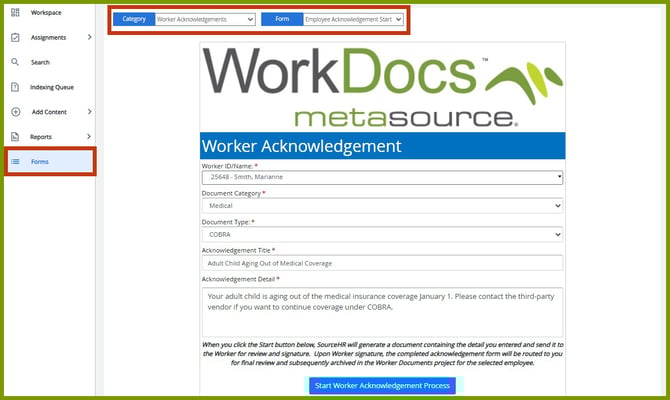
Worker Acknowledgements are submitted from Form s on the Navigation menu. Select the Category, Worker Acknowledgement and the Form, Worker Acknowledgement Start. The Worker Acknowledgement form is displayed.
- Select the Worker ID/Name. This identifies which worker should receive this acknowledgement.
- Select the Document Category. The options available depend on your company’s set-up. The category indicates the general grouping for this Worker Acknowledgement, such as, benefits, medical, onboarding, termination, performance, etc.
- Select the Document Type. The options available depend on the Document Category selected. It provides a more specific identification for the Worker Acknowledgement.
- Enter an Acknowledgement Title. This is a free-form field where you provide a heading for this acknowledgement.
- Add Acknowledgement Detail to provide the worker with the information you want them to receive in this acknowledgement. You can write up to 255 characters.
Once the detail is complete, click Start Worker Acknowledgement Process.
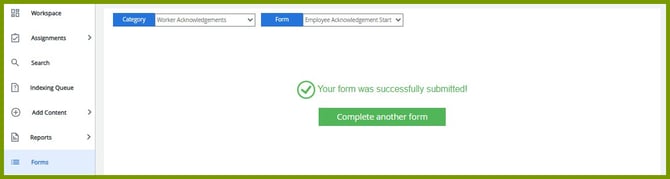
A success message is displayed. An email is sent to the worker that includes a link to the message and must be signed by the worker.
Worker Reviews and Signs the Worker Acknowledgement
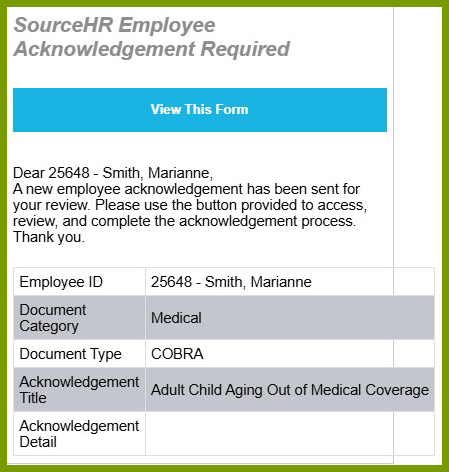
The email notification has a link to the form. The worker clicks View This Form to open it.

The worker reviews the information. Once reviewed, the worker must click the checkbox to confirm they have reviewed the message and select a date for the acknowledgement. Then the worker uses the mouse to sign the notice and clicks Submit Acknowledgement.
There is no review or acceptance needed for an acknowledgement.
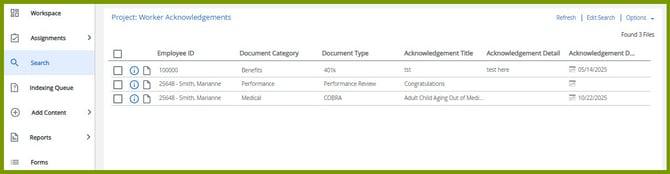
The signed form is stored in WorkDocs in the Worker Acknowledgements project.